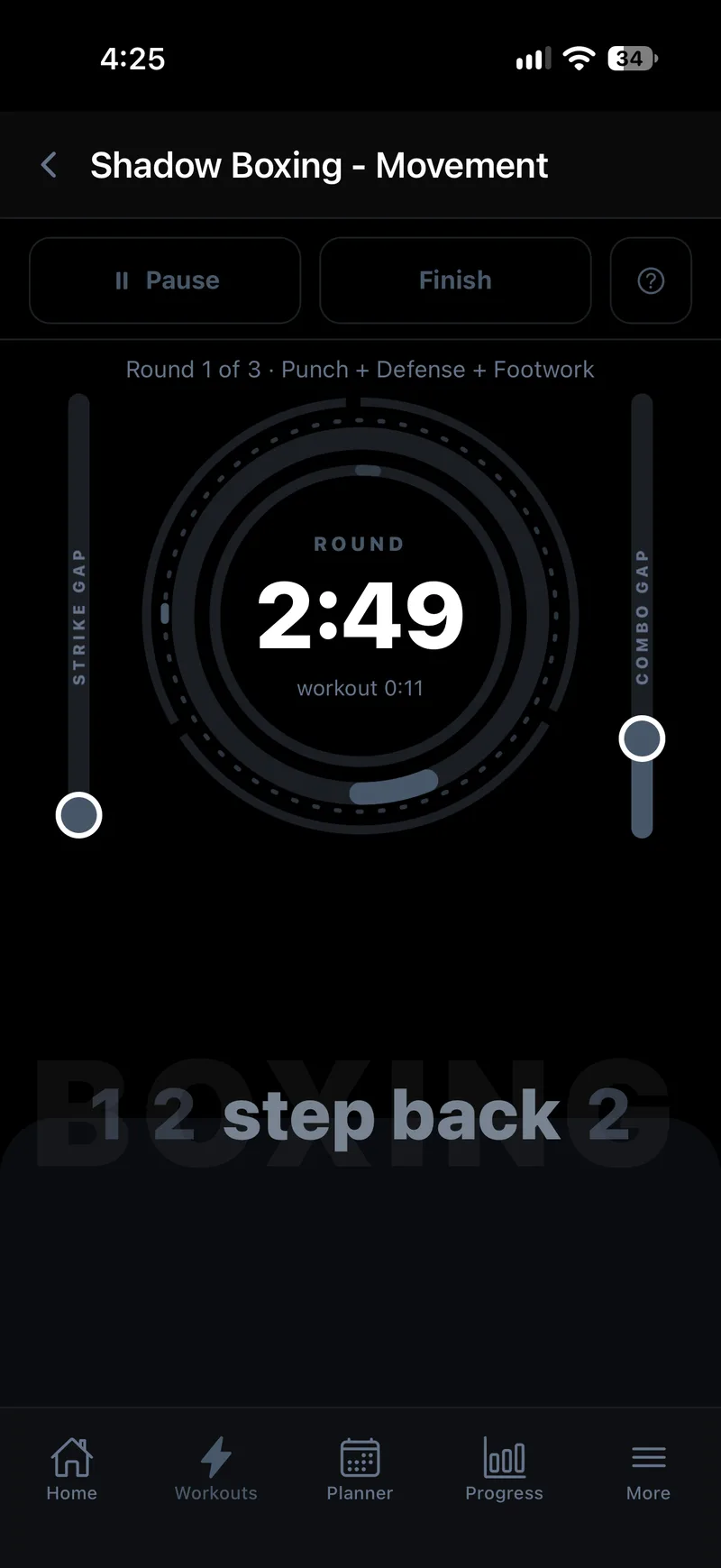
Most shadow-boxing goes one of two ways: you freestyle and end up throwing the same three combos on repeat, or you follow a video and lose the ability to react to anything it didn't tell you was coming. Guided Rounds in Joti is built to fix both — a live voice in your ear calling out real combinations, round after round, so every session is different and every round still has structure.
What actually happens in a round
Start a session and Joti keeps time for you — a round timer, a rest timer, and a clear on-screen ring so you always know how long is left without breaking stride to check. While the clock runs, Joti calls out combinations as you train: punches, kicks, elbows, knees and footwork, timed to keep you moving and reacting rather than performing a routine you memorised.
Three ways to build a session
How much control you want over what gets called out is up to you:
- Fully randomised. Joti picks every combination live, so you genuinely cannot predict what's next — the closest thing to reacting to a real opponent.
- Pre-built templates. Ready-to-go round structures for your style, for when you want a solid session in one tap rather than configuring anything.
- Fully custom. Define exactly what happens round by round — useful if you're following a coach's plan or drilling a specific weakness.
Pick your style
Guided Rounds covers Boxing, Kickboxing, Muay Thai and Traditional Martial Arts, each with call-outs and templates suited to that style — knees and elbows for Muay Thai, kicks worked into the mix for Kickboxing, and so on. Choose your style once and every randomised or template round pulls from combinations that actually belong to it.
No partner, no coach, no camera
Guided Rounds is built to run entirely solo. There's no camera trying to track your form, no proprietary hardware to buy, and no need to line up a training partner or book a coach — just space to move and your phone (or an Apple Watch if you have one) for the call-outs and timers. Prefer to work a heavy bag instead of shadow-boxing? The same call-outs and timers work exactly the same way.
Getting started
From the workout screen, start a new Guided Rounds session, choose your style, then pick randomised, a template, or build your own round-by-round. Set your round count, round length and rest time, and go — Joti handles the rest, calling out every combination and keeping time until your last round ends.
Try it free
Guided Rounds is included free with Joti's first-month trial — no separate purchase, no extra add-on. Get it on the App Store or Google Play. For a wider look at how Joti compares to other trackers, see what makes Joti different.