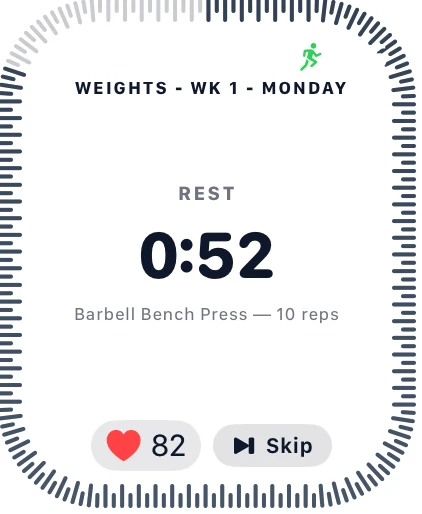
Joti now runs on your wrist. The new Apple Watch companion app brings your training plan, live set logging and Guided Rounds timers straight to your Watch, synced with your phone in real time — no need to keep pulling your phone out mid-set.
What you can do from your wrist
- Today's plan, front and center. Open the Watch app and see today's scheduled workout by default, styled to match your Joti theme.
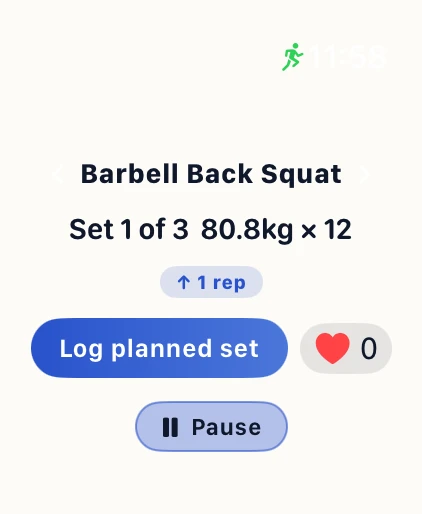
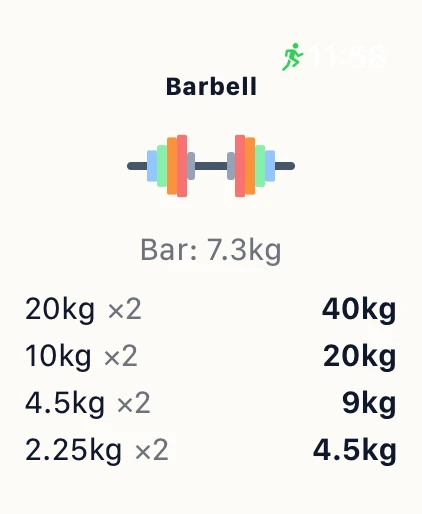
- Run a full session. Start, pause, resume and log sets without touching your phone — weight, reps and the exact plate breakdown for your equipment are all right there.
- Rest and round timers on your wrist. A dedicated ring counts down your rest between sets, with a haptic tap when it's time to go again.
- Guided Rounds, called out on the Watch. Running a boxing or kickboxing session? The Watch shows the round ring and combo call-outs right alongside your phone.
- Swipe to change exercise and jump around your workout without breaking stride.
How it works
The Watch app talks to your phone over a live connection — your phone stays the source of truth, so a set logged on your Watch shows up instantly on your phone (and vice versa), and pausing or resuming from either device keeps both in sync. Keep your phone nearby during a session, the same way most Watch companion apps work today.
What's next
This is the first release of the Watch app, and it's still growing — more of your live workout on your wrist is on the way. If you want to see what else recently shipped, Joti also now shows live rest timers on your Lock Screen and Dynamic Island, and you can start or search a workout hands-free with Siri.
Get it
The Watch app installs automatically alongside the Joti iPhone app — free to download on the App Store, free for your first month with no purchase required. Update to the latest version and you'll find it in your Watch's app list.